
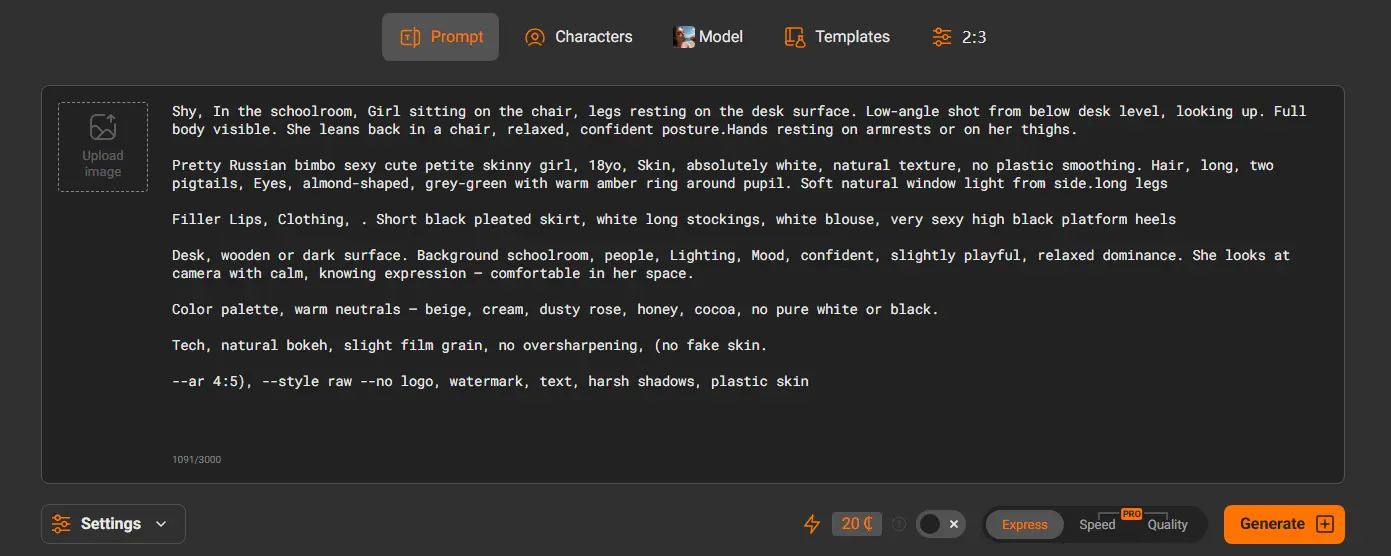
A diferença entre uma imagem gerada por IA medíocre e uma deslumbrante quase sempre se resume ao prompt. Um prompt vago produz resultados genéricos, resultados sem graça. Um prompt bem estruturado produz exatamente o que você imaginou.
Este guia ensina você como escrever prompts de pornô IA que realmente funcionam — estrutura de cobertura, estilo, nível de detalhe, prompts negativos, e estruturas prontas para usar que você pode copiar, colar, e personalize em PornWorks AI ou qualquer outro gerador de pornô.
Índice
- Por que a qualidade do prompt importa
- A anatomia de um ótimo prompt de pornô IA
- Passo 1: Comece pelo estilo
- Passo 2: Descreva o sujeito
- Passo 3: Prepare a cena
- Passo 4: Adicione parâmetros técnicos
- Passo 5: Use prompts negativos
- Estruturas de prompt prontas para usar por estilo
- Realista / Prompts fotográficos
- Anime & Prompts de hentai
- Artístico & 3Prompts de render 3D
- Prompts de vídeos pornô de IA
- Erros comuns de prompts a evitar
- Dicas avançadas para melhores resultados
- Perguntas frequentes
Por que a qualidade do prompt importa
Geradores de imagens de IA como o PornWorks AI usam seu prompt de texto como a única instrução que possuem. O modelo não tem contexto sobre o que você quer além das palavras que você digita. Isso significa:
- Entrada vaga = saída vaga. “Uma mulher sexy” não dá à IA quase nada com que trabalhar.
- Entrada específica = saída específica. Descrever a cor do cabelo, iluminação, pose, estilo, e o cenário dá à IA um alvo preciso.
- A estrutura importa tanto quanto o vocabulário. A ordem e o agrupamento dos descritores afetam como a IA pondera cada elemento.
A maioria das pessoas escreve prompts como se estivesse descrevendo algo a um amigo. Geradores de IA respondem melhor a prompts escritos como um briefing fotográfico ou uma nota de direção de arte — precisos, em camadas, e técnicos.
A anatomia de um ótimo prompt de pornô IA
Todo prompt eficaz de pornô de IA é construído a partir das mesmas cinco camadas, empilhados em ordem:
[Style / Medium] + [Subject Description] + [Scene / Setting] + [Action / Pose] + [Technical Parameters]Cada camada adiciona uma dimensão de controle. Pule uma camada e a IA preenche a lacuna com seus próprios padrões — que podem não corresponder ao que você quer.
| Camada | O que ele controla | Palavras de exemplo |
|---|---|---|
| 1. Estilo / Medium | Estética visual geral | fotorrealista, anime, 3Render 3D, pintura a óleo, hentai |
| 2. Sujeito | Quem está na imagem | mulher adulta, tipo de corpo, cabelo, olhos, tom de pele, roupa |
| 3. Cena / Cenário | Onde o sujeito está e o que o cerca | quarto, praia, estúdio, ao ar livre, condições de iluminação |
| 4. Ação / Pose | O que o sujeito está fazendo | em pé, sentada, pose específica, ação explícita |
| 5. Parâmetros técnicos | Câmera, qualidade, sinais de resolução | 85lente de mm, f/1.8, 4K, foco nítido, alto detalhe |
Passo 1: Comece pelo estilo
A palavra-chave de estilo é a palavra individual mais poderosa do seu prompt. Ele define toda a direção visual antes de a IA processar qualquer outra coisa. Coloque-o sempre no início.
Palavras-chave de estilo disponíveis no PornWorks AI
| Palavra-chave de estilo | Ideal para | Palavras potencializadoras |
|---|---|---|
| fotorrealista | Fotos realistas, textura da pele, iluminação real | ultrarrealista, Foto RAW, DSLR, foco nítido |
| anime | Estilo de animação japonesa, traços expressivos | anime de alta qualidade, traços de linha detalhados, cores vibrantes |
| hentai | Estilo de ilustração anime explícito | detalhado, alta resolução, estilo mangá |
| 3Render 3D | CGI / qualidade de videogame | Unreal Engine, octane render, dispersão subsuperficial |
| pintura a óleo | Visual artístico clássico | Estilo renascentista, pictórico, cores ricas, textura de tela |
| arte digital | Ilustração moderna, sensação de arte conceitual | artstation, em alta, altamente detalhado, arte conceitual |
Passo 2: Descreva o sujeito
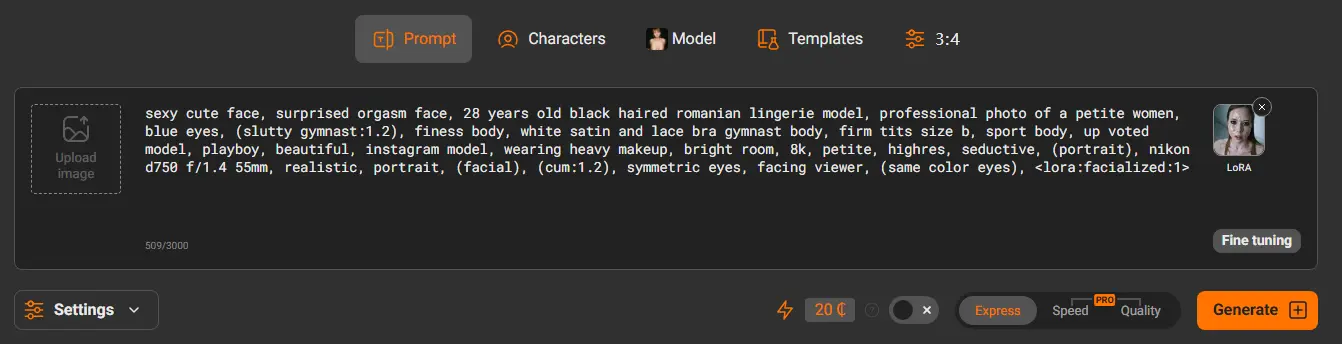
É aqui que a maioria dos iniciantes escreve pouco demais. Quanto mais específica for a descrição do seu sujeito, mais o resultado corresponde à sua visão. Use esta lista de verificação:
- Descrição da idade — sempre especifique idade adulta (p. ex., “mulher perto dos 30 anos”, “homem adulto na casa dos 30”). Sempre 18+.
- Tipo de corpo — magra, atlética, curvilínea, miúda, musculoso, alta, etc.
- Cabelo — cor, comprimento, estilo (p. ex., “cabelo longo ondulado castanho-avermelhado”, “corte pixie curto preto”)
- Olhos — cor e expressão (p. ex., “olhos verdes brilhantes”, “olhos escuros amendoados”)
- Tom de pele — justo, oliva, bronzeada, escuro, etc.
- Roupas / estado de vestimenta — seja específico sobre o que está vestido ou não
- Expressão — confiante, sensual, brincalhona, intenso, relaxado
Passo 3: Prepare a cena
O cenário e a iluminação têm um impacto enorme no clima e na qualidade da imagem final. Não pule esta camada.
Exemplos de cenário
- Ambiente interno: quarto, quarto de hotel, banheiro, escritório, apartamento estúdio, suíte de luxo
- Ao ar livre: praia, à beira da piscina, jardim, cobertura, clareira na floresta, varanda
- Fantasia: castelo medieval, paisagem urbana futurista, floresta encantada, cena subaquática
Palavras-chave de iluminação que melhoram o realismo
- Luz natural: luz do sol da hora dourada, suave luz da manhã, luz do sol filtrada pelas árvores
- Luz de estúdio: iluminação com softbox, iluminação profissional de estúdio, iluminação de contorno
- Luz de ambiente: luz de velas, brilho neon, luar, luz quente de lâmpada, sombras dramáticas
Passo 4: Adicione parâmetros técnicos
Os parâmetros técnicos dizem à IA que tipo de câmera, lente, e o nível de qualidade que você quiser. Para estilos fotorrealistas, estes são essenciais. Para estilos anime ou artísticos, são opcionais, mas ainda podem melhorar o nível de detalhe.
Descritores de câmera e lente (Fotorrealista)
shot on Canon EOS R5— sinaliza câmera profissional de alto padrão85mm lens, f/1.8— lente de retrato com fundo desfocado35mm lens, f/2.8— plano mais amplo, mais contexto ambientalbokeh background— fundo desfocado, sujeito em foco nítidoshallow depth of field— semelhante ao efeito bokeh
Impulsionadores de qualidade (Todos os estilos)
ultra-high resolution4K/8Khighly detailedsharp focusmasterpiecebest qualityintricate details
Passo 5: Use prompts negativos
Prompts negativos dizem à IA o que não para incluir. Eles são uma das ferramentas mais poderosas para melhorar a consistência e evitar artefatos comuns da geração por IA.
Prompt negativo universal (copie e use em qualquer geração)
Prompts negativos específicos por estilo
Para fotorrealista:
Para anime / Hentai:
Para render 3D:
Estruturas de prompt prontas para usar por estilo
As estruturas a seguir são modelos de preencher lacunas. Substitua tudo em [colchetes] com seus próprios descritores. A estrutura e as palavras potencializadoras já estão otimizadas — basta personalizar o conteúdo.
Realista / Estruturas de estilo fotográfico
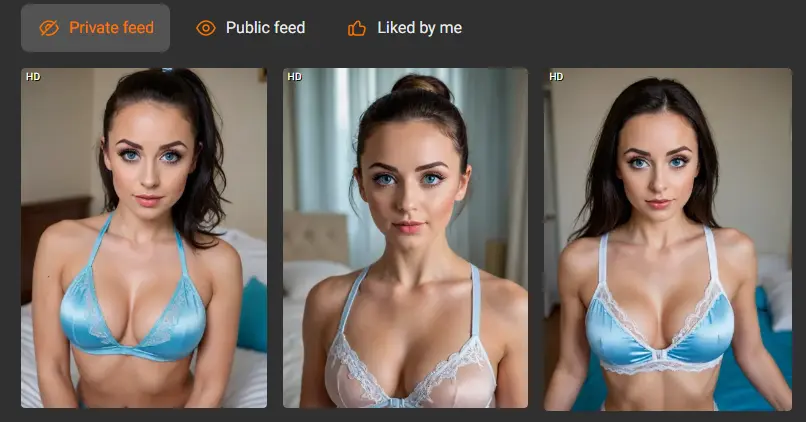
Framework R1 — Retrato / Close-up
Framework R2 — Corpo inteiro
Framework R3 — Ambiental / Cena
Anime & Frameworks de estilo hentai
Framework A1 — Retrato anime padrão
Framework A2 — Estilo hentai
Framework A3 — Fantasia / Estilo isekai
Artístico & 3Frameworks de estilo render 3D
Framework D1 — CGI 3D / Estilo de jogo
Framework D2 — Pintura digital / Arte conceitual
Framework D3 — Pintura a óleo / Arte clássica
Frameworks de prompts para vídeos pornô de IA
Prompts de vídeo funcionam de forma diferente dos prompts de imagem. A IA precisa entender movimento, não apenas a aparência. Concentre-se em descrever a ação e o movimento da câmera, não apenas a cena estática.
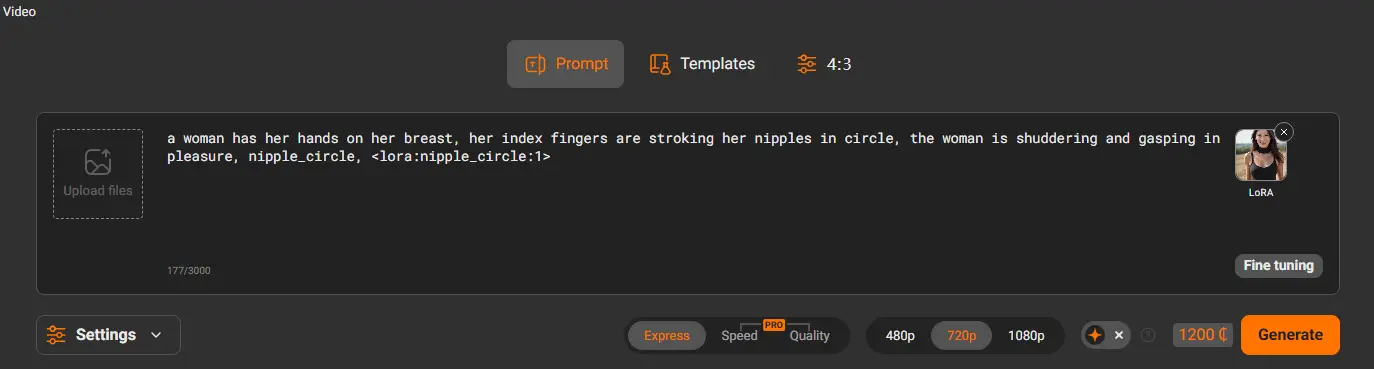
Principais diferenças nos prompts de vídeo
- Descreva o movimento explicitamente — “caminhando lentamente”, “câmera panorâmica para a esquerda”, “movimento suave de balanço”
- Mantenha as cenas focado em uma ação — descrições complexas de múltiplas cenas produzem resultados inconsistentes
- Especifique comportamento da câmera — “câmera estática”, “zoom lento de aproximação”, “câmera na mão”
- Inclua sensação de duração — “câmera lenta”, “tempo real”, “time lapse”
Framework V1 — Cena / Vídeo cinematográfico
Framework V2 — POV / Primeira pessoa
Erros comuns de prompts a evitar
| Erro | Por que é um problema | Corrigir |
|---|---|---|
| Vago demais — “uma mulher bonita” | A IA preenche lacunas com padrões aleatórios | Adicionar penteado, olhos, tipo de corpo, cenário, iluminação |
| Sem palavra-chave de estilo | A IA escolhe um estilo padrão que pode não combinar | Comece sempre com photorealistic / anime / 3Render 3D etc. |
| Palavras-chave contraditórias | A IA fica confusa, produz resultados híbridos | Não misture “fotorrealista” e “anime” no mesmo prompt |
| Sem descritor de iluminação | Plano, uma iluminação sem graça mata o realismo | Adicione pelo menos uma palavra de iluminação a cada prompt |
| Sem prompt negativo | Artefatos de IA, como dedos extras, rostos borrados aparecem | Cole sempre o prompt negativo universal |
| Desistir após uma única geração | As saídas da IA têm variação natural — o primeiro resultado raramente é o melhor | Gerar 3-5 variações, depois use a ferramenta Pincel para refinar |
| Frases em vez de palavras-chave | A IA responde melhor a listas de palavras-chave do que a frases naturais | Use descritores separados por vírgulas, não frases completas |
Dicas avançadas para melhores resultados
1. Dê peso às suas palavras-chave mais importantes
Em alguns geradores, você pode enfatizar uma palavra-chave adicionando peso extra a ela. No PornWorks AI, simplesmente coloque os descritores mais importantes no início do prompt — a IA dá maior peso às palavras que aparecem primeiro.
2. Use a ferramenta de pincel para corrigir problemas específicos
Em vez de regenerar uma imagem inteira porque um elemento está errado, use o Ferramenta de pincel de pornô de IA para pintar apenas sobre a área problemática e corrigi-la com um prompt direcionado. Isso preserva tudo o que você gostava na imagem original.
3. Salve os prompts que funcionam
Quando você encontrar uma estrutura de prompt que produza bons resultados de forma consistente, salve como modelo. Modifique uma variável por vez — mude a configuração mantendo a descrição do sujeito, ou mude a iluminação mantendo todo o resto igual. A iteração sistemática produz resultados melhores do que começar do zero toda vez.
4. Aplicar transferência de estilo após a geração
Gere sua cena primeiro em estilo fotorrealista para acertar a composição e o sujeito, depois use a Transferência de estilo para convertê-la em anime ou outro estilo. Isso costuma produzir resultados melhores do que pedir esse estilo diretamente no prompt, porque a composição subjacente é mais precisa.
5. Gere múltiplas variações
Gere sempre pelo menos 3 variações de qualquer prompt antes de decidir que ele não funciona. As saídas da IA têm aleatoriedade natural — o mesmo prompt pode produzir resultados muito diferentes a cada execução. O melhor resultado geralmente está na 3ª ou 4ª variação.
6. Use personagens para consistência
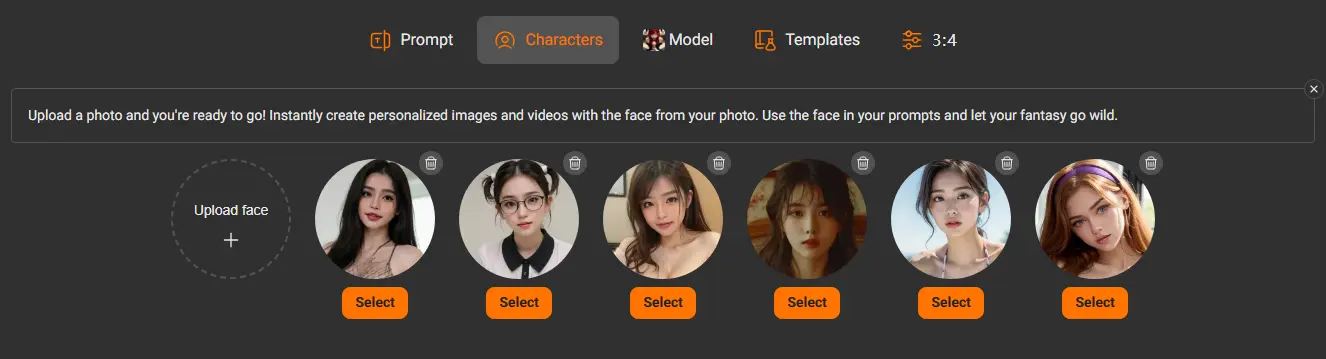
Se você quiser gerar várias imagens com a mesma pessoa, primeiro crie um Personagem salvo no PornWorks AI. Isso fixa a aparência e produz resultados consistentes em diferentes cenas e prompts.
Perguntas frequentes
O que faz um bom prompt de pornô IA?
Um bom prompt de pornô com IA é específico, estruturado, e inclui todas as cinco camadas: estilo, descrição do sujeito, cena/cenário, ação/pose, e parâmetros técnicos. Prompts vagos produzem resultados genéricos. Quanto mais precisamente você descrever o que quer, mais o resultado corresponderá à sua visão.
Qual deve ser o tamanho de um prompt de pornô de IA?
Prompts eficazes geralmente são 30 para 100 palavras. Curto demais e a IA fica sem direção. Longo demais e o modelo pode ter dificuldade em equilibrar todos os descritores. Busque o ponto ideal de 50 para 80 palavras para a maioria das gerações de imagens.
Os prompts negativos realmente fazem diferença?
Sim, significativamente. Prompts negativos são uma das ferramentas mais eficazes para eliminar artefatos comuns da IA, como dedos extras, rostos distorcidos, e áreas borradas. O prompt negativo universal deste guia pode ser colado em qualquer geração como base — não custa nada e melhora consistentemente a qualidade do resultado.
Por que meu prompt produz resultados diferentes a cada vez?
Geradores de imagens de IA incluem aleatoriedade intencional (chamado “ruído”) em cada execução de geração. Isso é intencional — permite que o modelo produza variação criativa. Aproveite isso gerando várias versões de um prompt promissor e selecionando o melhor resultado.
Posso usar esses prompts em outros geradores além do PornWorks AI?
Sim. As estruturas de prompt deste guia foram escritas usando terminologia universal de geração de imagens por IA que funciona na maioria dos geradores de pornô. No entanto, os resultados variam entre plataformas porque cada uma usa modelos subjacentes diferentes.
O que devo fazer se meu prompt produzir mãos ou rostos distorcidos?
Adicione o prompt negativo universal à sua geração, e use o Ferramenta de pincel de pornô de IA para pintar sobre a área problemática específica e corrigi-la com um prompt direcionado como “mão perfeita, cinco dedos, pose natural” ou “rosto bonito, traços detalhados, foco nítido”.
Comece a gerar agora
Agora você tem tudo o que precisa para escrever prompts que produzem resultados de alta qualidade de forma consistente. Escolha uma estrutura acima, personalize-o, e cole-o em PornWorks AI — não é necessário registro para começar.